Discourse AI Business Trial Usability Review
Executive summary
- Overall readiness: Medium. The hosted Business trial gives a new admin a surprisingly complete AI stack out of the box: a hosted LLM, agents, AI helper, summaries, embeddings, spam detection, and Data Explorer AI once enabled. The weak point is not model quality; it is setup choreography and information architecture.
- Best customer-facing AI use cases today: composer assistance, topic summaries, AI Bot, spam test/explainability, semantic search, and Data Explorer query generation.
- Weakest or riskiest areas: translation setup, Web Artifacts discoverability/tool invocation, the split between “features”, “settings”, “agents”, “LLMs”, and “plugin settings”, and several places where a customer must already know which gate unlocks the next screen.
- Top 5 product fixes:
- Add a guided “Turn on AI Bot” flow that explains LLM, allowed groups, companion users, and entry points in one place.
- Make translation setup self-diagnosing: “choose supported locales first”, “enable content localization”, “now enable automatic translations”.
- Put Web Artifacts behind an explicit feature card or agent tool status panel, not just an implicit agent capability.
- Show readiness checks per workflow: enabled setting, selected model/agent, allowed groups, quota, and last successful test.
- Collapse or cross-link duplicated setup surfaces: AI Features, AI Settings, Data Explorer Settings, Translation dashboard, and core site settings.
Trial context
- Trial URL:
https://jarvis-ai-trial-review.discourse.group/ - Created: 2026-07-01 afternoon Australia/Sydney time.
- Plan: hosted Business 14-day trial.
- Freshness: brand-new hosted trial created from
https://www.discourse.org/signup/business; wizard completed with normal/default choices. - Admin role: first trial administrator, username
jarvis_admin. - Browser/device: headless Chromium on Linux, desktop viewport 1440×1000.
- Email: signup used the requested plus-address; screenshots and report text redact the full mailbox where not necessary.
- Source preflight: before classifying workflows I checked
/home/agent/source/discourseand especially/home/agent/source/discourse/plugins/discourse-ai, plusplugins/discourse-data-explorerfor Data Explorer AI.
Overall journey map table
| Stage | Customer-facing path | Source/settings preflight | Result | Readiness |
|---|---|---|---|---|
| Signup + setup | Business signup → email confirm → admin invite → wizard | Hosted-specific source gate not found in plugin; AI plugin gate is discourse_ai_enabled. | Smooth, with a clear hosted-trial dashboard. | High |
| First AI encounter | Admin → Plugins → AI | discourse_ai_enabled defaulted on for this hosted trial; ai_default_llm_model = -4 CDCK Hosted LLM. | Strong default: AI plugin already installed and usable. | High |
| AI Helper | Composer toolbar → “Ask AI” | ai_helper_enabled, composer/post allowed groups, per-helper agents. | Visible in composer and proofread flow worked. | High |
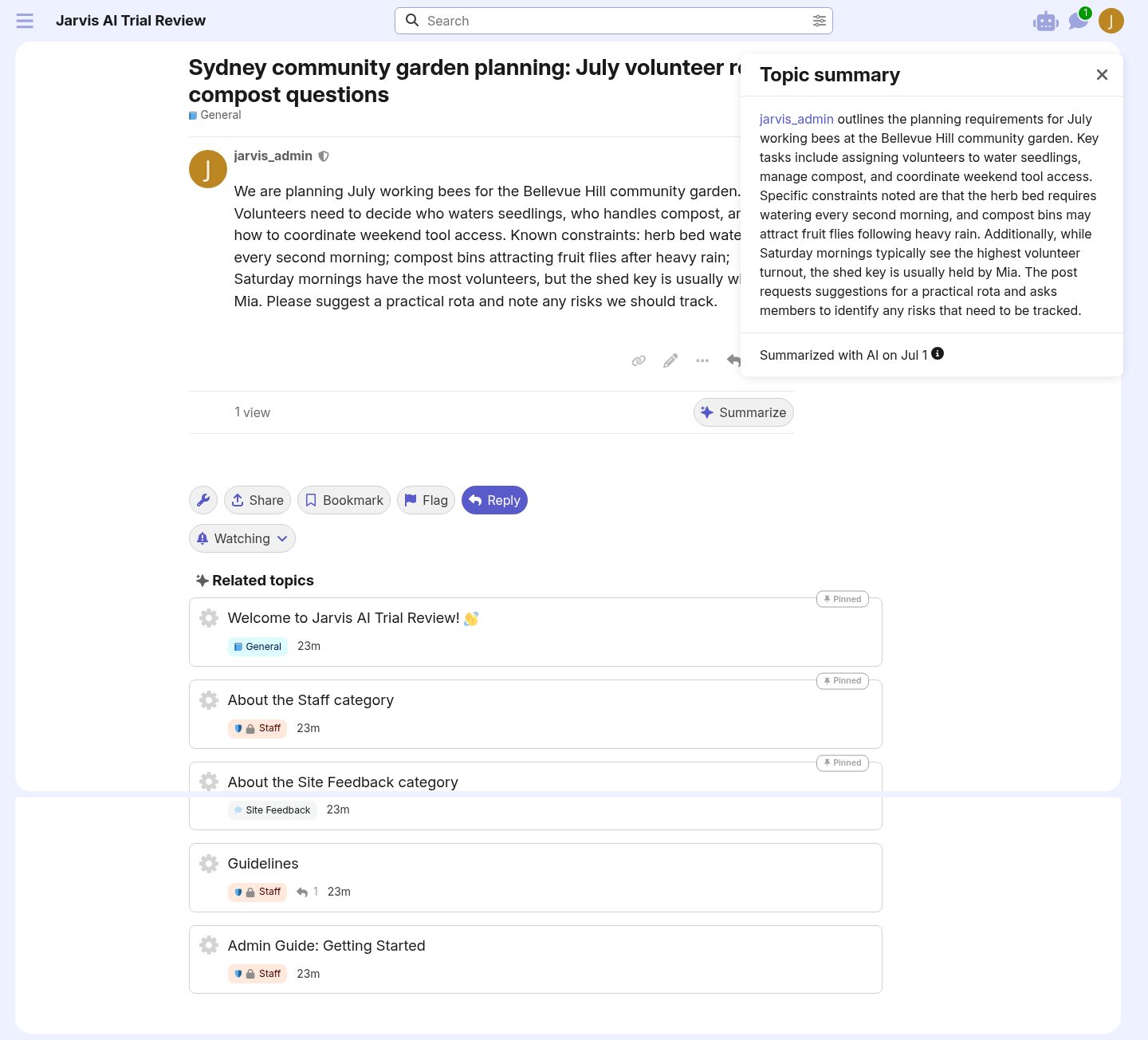
| Summaries | Topic page → Summarize | ai_summarization_enabled, summarizer agent, allowed groups. | Produced a useful summary of the sample topic. | High |
| AI Bot | Admin AI Features → Bot → enable; header bot button | ai_bot_enabled, ai_bot_enabled_llms, ai_bot_allowed_groups, companion user serialization. | Worked after enabling; entry point appeared in header; response was useful. | Medium-High |
| Search/embeddings | Search page and related topics | ai_embeddings_enabled, selected hosted embedding model, semantic search settings. | Search found realistic seeded content; AI results entry was visible. | Medium-High |
| Translation | AI Translations page + core content localization settings | content_localization_enabled, supported locales, ai_translation_enabled, translation agents/backfill. | UI showed the dependency but I could not complete the enablement from the translation dashboard alone. | Medium-Low |
| Web Artifacts | AI Bot → Web Artifact Creator | Artifact routes/model/tool exist; ai_artifact_security = strict; creation depends on agent/tool invocation. | Agent produced raw HTML in the conversation, not an embedded artifact in this try-it. | Medium-Low |
| Data Explorer AI | Data Explorer settings → enable → Create → Generate with AI | data_explorer_enabled, data_explorer_ai_queries_enabled, generated external AI feature/agent. | Worked very well once enabled and saved. | High |
| Spam/moderation | AI Spam → Test | ai_spam_detection_enabled, moderation settings, agent/model. | Test returned “Not spam” with reasoning and full prompt transparency. | High |
Workflow findings
1. First encounter
Customer promise: A Business trial should make AI feel available without forcing a new admin to provision models or paste API keys before seeing value.
Source/code preflight summary: The plugin gate is discourse_ai_enabled in plugins/discourse-ai/config/settings.yml; the plugin is mounted via enabled_site_setting :discourse_ai_enabled in plugins/discourse-ai/plugin.rb. Admin routes are under /admin/plugins/discourse-ai/* from plugins/discourse-ai/config/routes.rb and the Ember route map. LLM defaults are driven by ai_default_llm_model and LlmModel.
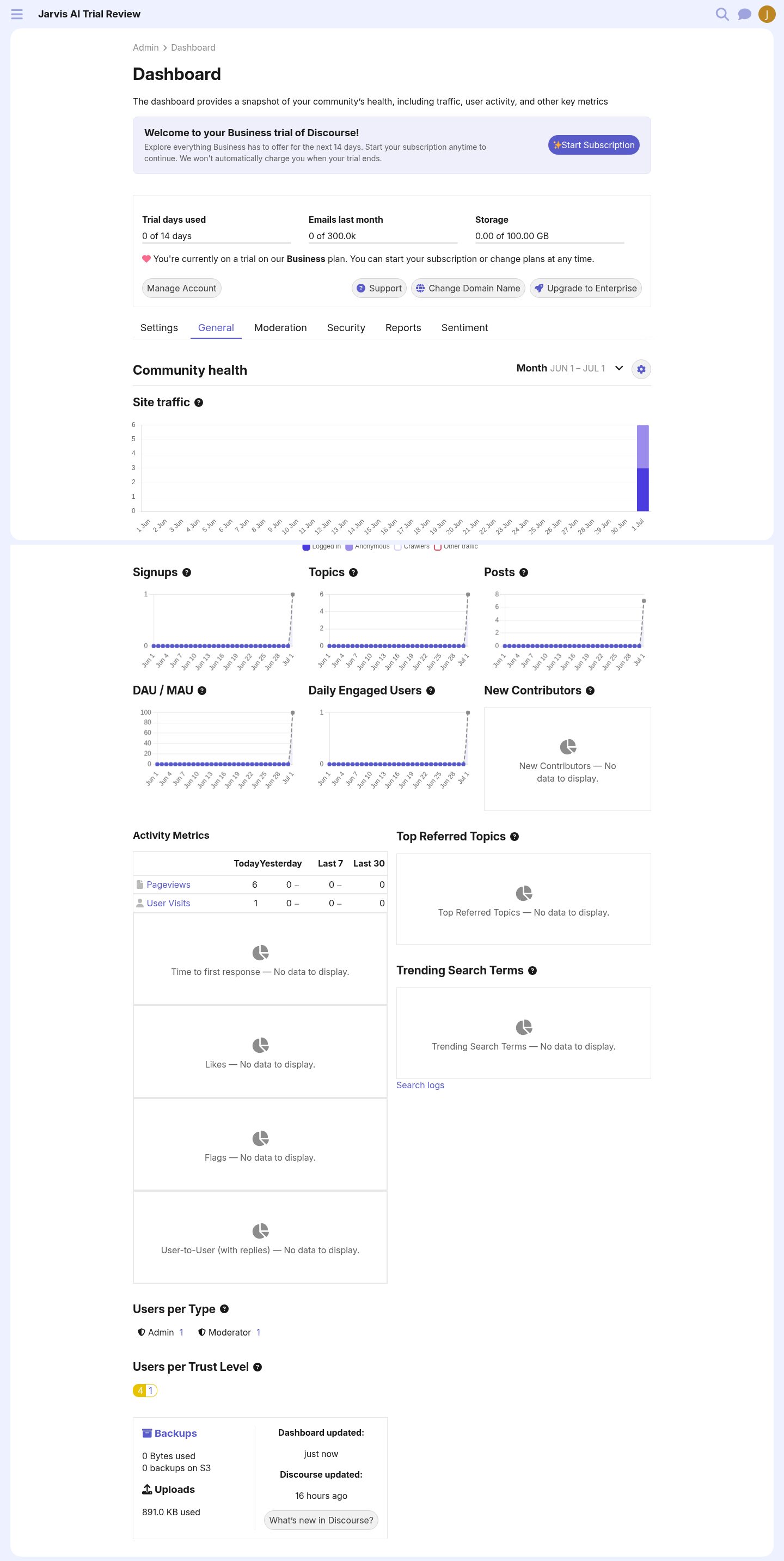
Observed path: Signup, email confirm, admin invite, wizard defaults, then Admin Dashboard and Plugins → AI.
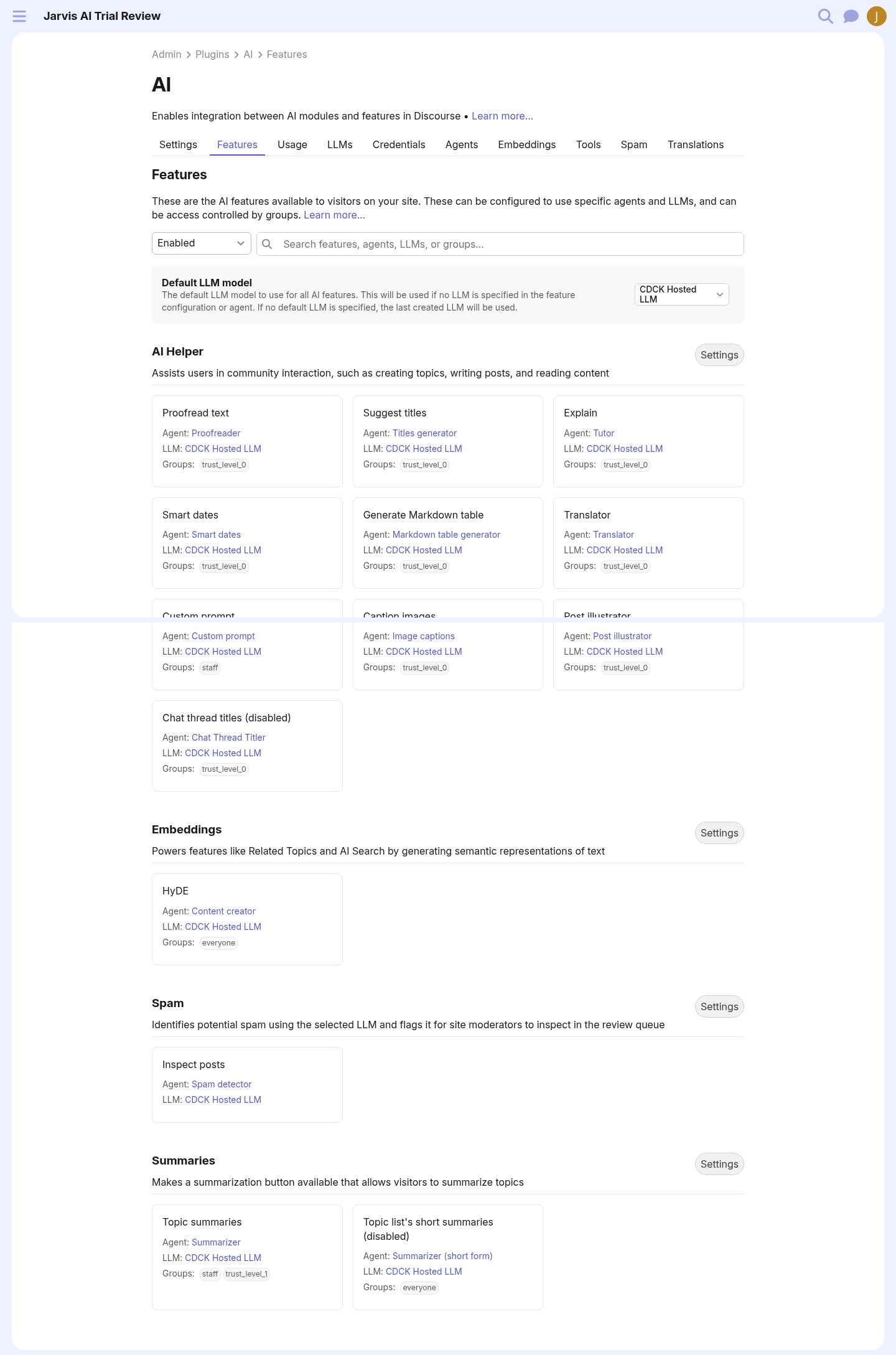
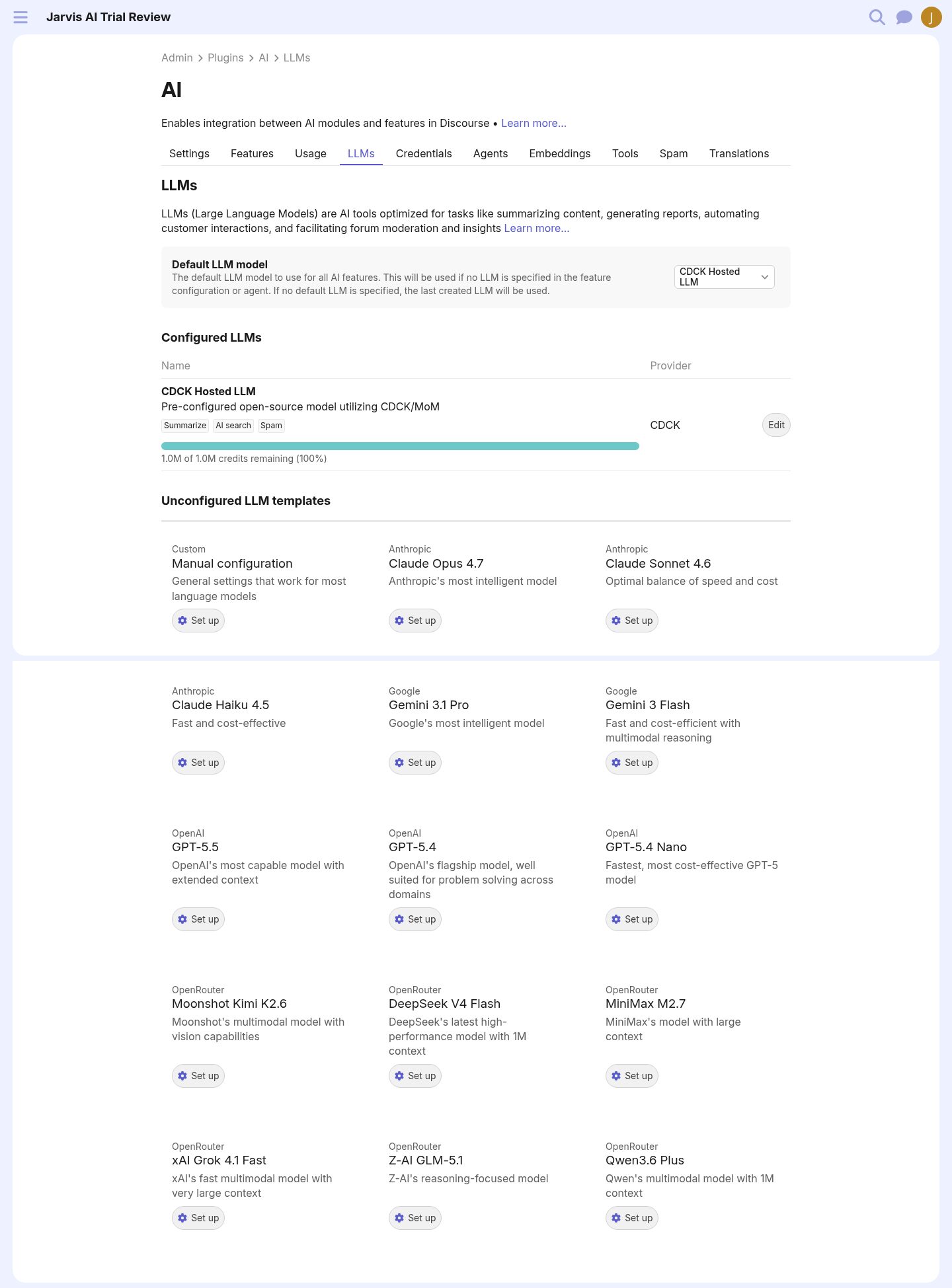
What worked: The hosted trial had Discourse AI installed and enabled, with CDCK Hosted LLM configured and 1.0M credits shown. This is the right first-run posture.
What confused me: AI appears in several different places: dashboard, plugins list, AI feature list, LLMs, agents, spam, translations, Data Explorer, and core site settings. The power is there; the map is not.
Setup dependencies: None for first value on this trial: AI helper, summaries, embeddings, and spam were already enabled.
Try-it moment: Admin → Plugins → AI → Features showed populated agents and the hosted model.
Readiness rating: High.
Recommended changes: Add a single “AI setup checklist” landing page that tells the admin what is already ready and what needs enabling.
2. AI Bot
Customer promise: A member can ask an AI assistant questions in a PM/chat-like interface.
Source/code preflight summary: ai_bot_enabled defaults false; ai_bot_enabled_llms selects available LLMs; ai_bot_allowed_groups defaults to staff and TL4. Header/sidebar entry points are ai_bot_add_to_header and ai_bot_add_to_community_section. Runtime routes include /discourse-ai/ai-bot/conversations; current-user serialization exposes enabled bot agents only when gates and groups match.
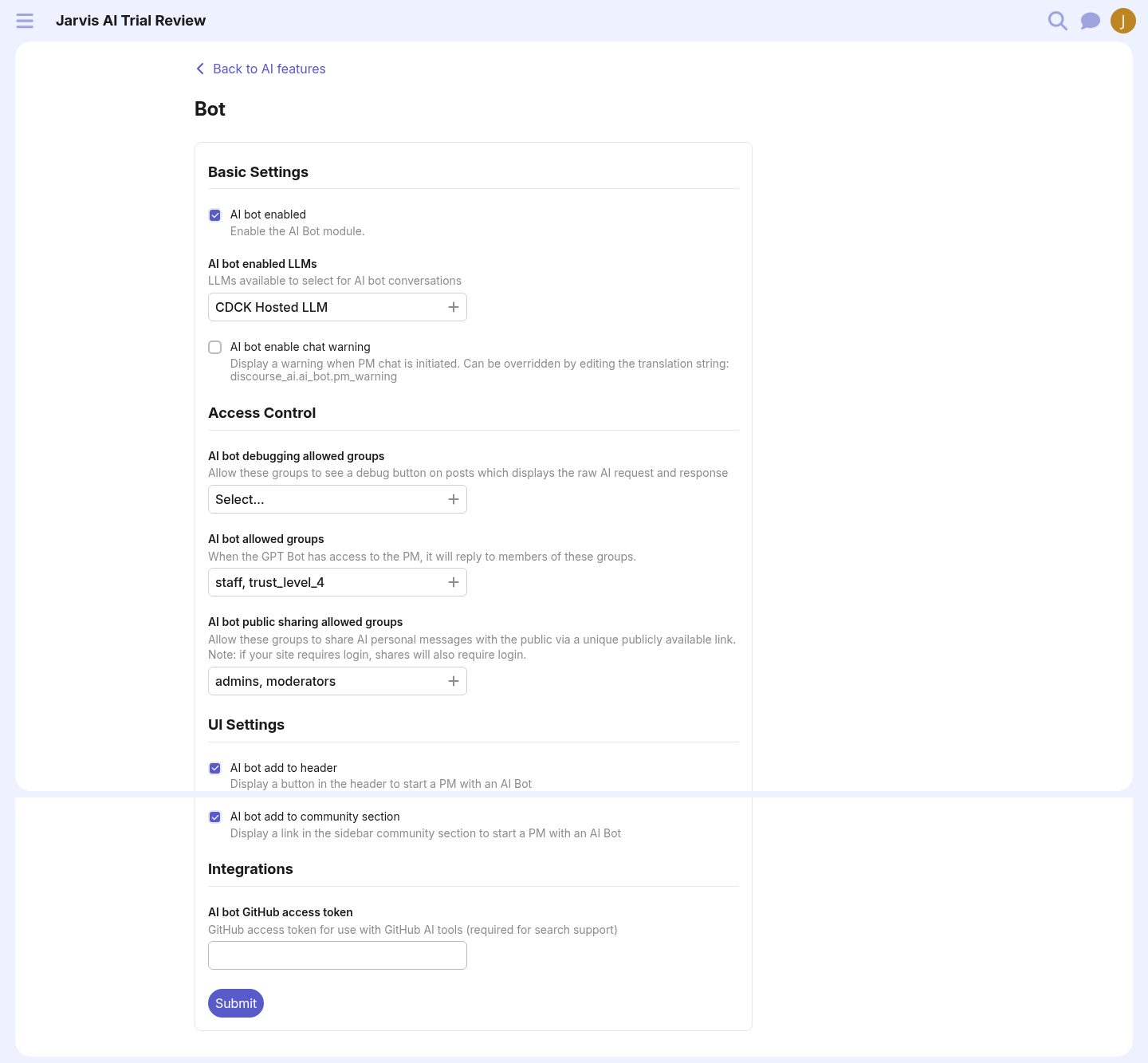
Observed path with URLs/screenshots: Admin → Plugins → AI → Features → Bot (/admin/plugins/discourse-ai/ai-features/7/edit) → enabled ai_bot_enabled and ai_bot_add_to_header; then /discourse-ai/ai-bot/conversations.
Settings touched:
ai_bot_enabled: false → true.ai_bot_add_to_header: false → true.- Existing defaults kept:
ai_bot_enabled_llms = CDCK Hosted LLM,ai_bot_allowed_groups = staff, trust_level_4, community sidebar link enabled.
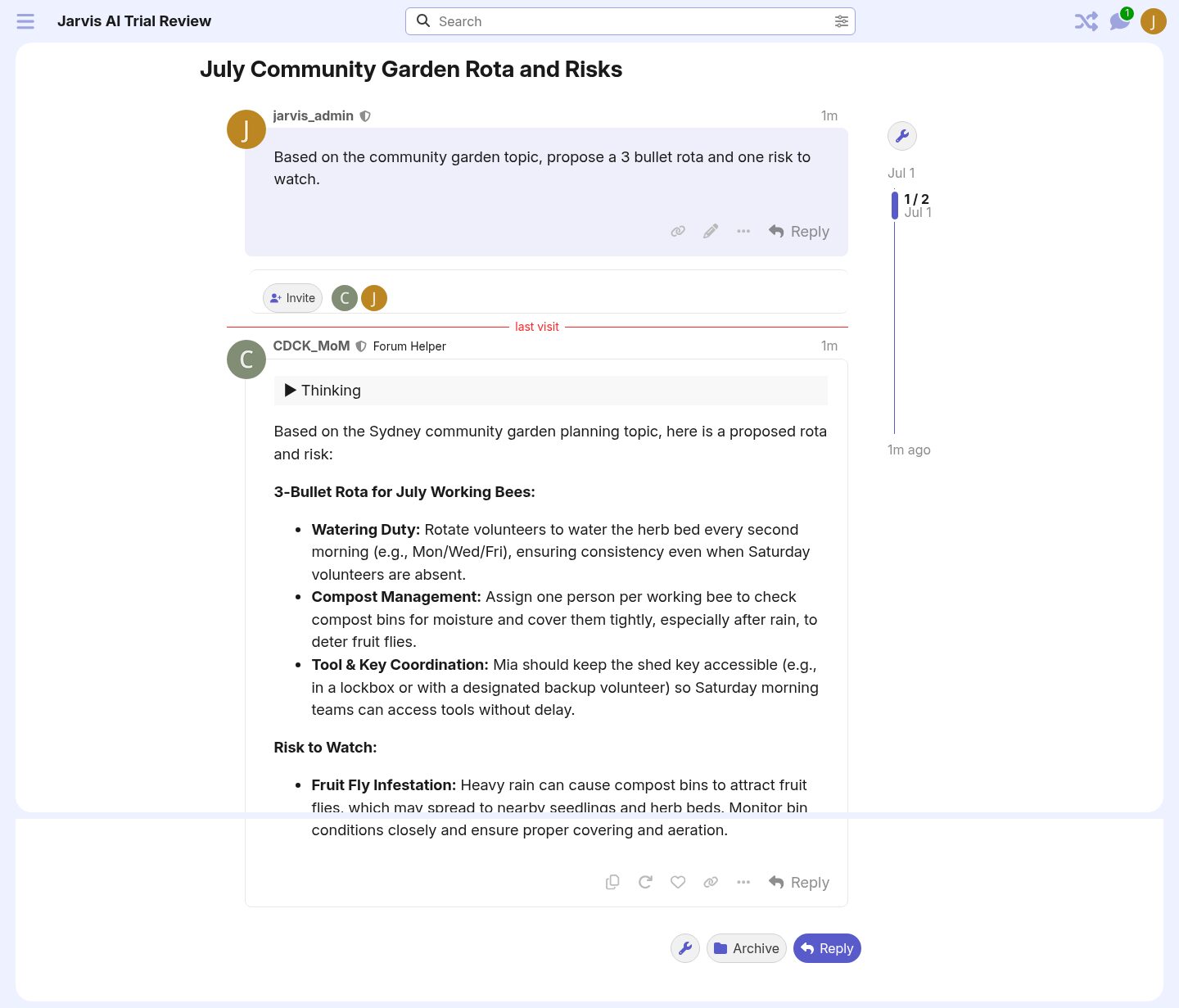
What worked: Header entry appeared. The bot created a PM-style topic and answered a practical question about the seeded community-garden topic with useful bullets.
What confused me: The feature page asks for “AI bot enabled LLMs”, “allowed groups”, and UI entry points, but it does not explain the downstream effect: a header button and a new conversation surface. It also does not show a “test bot now” button.
Setup dependencies: Global AI, configured LLM, allowed groups, bot-enabled LLM, enabled agent.
Try-it moment: Prompt: “Based on the community garden topic, propose a 3 bullet rota and one risk to watch.” It returned a rota and fruit-fly risk.
Readiness rating: Medium-High. Good once found; setup should be guided.
Recommended changes: Add a bot feature card with “Enable”, “Who can use it?”, “Where will users see it?”, and “Try a conversation”.
3. Writing and moderation help
Customer promise: AI helps write, polish, summarize, and moderate content without leaving normal forum flows.
Source/code preflight summary: AI Helper gates: ai_helper_enabled, composer_ai_helper_allowed_groups, post_ai_helper_allowed_groups, ai_helper_enabled_features, and per-action agents such as proofreader, title generator, translator, smart dates, markdown tables. Spam uses ai_spam_detection_enabled, moderation settings, and the spam detector agent. Summary uses ai_summarization_enabled and summarizer agents.
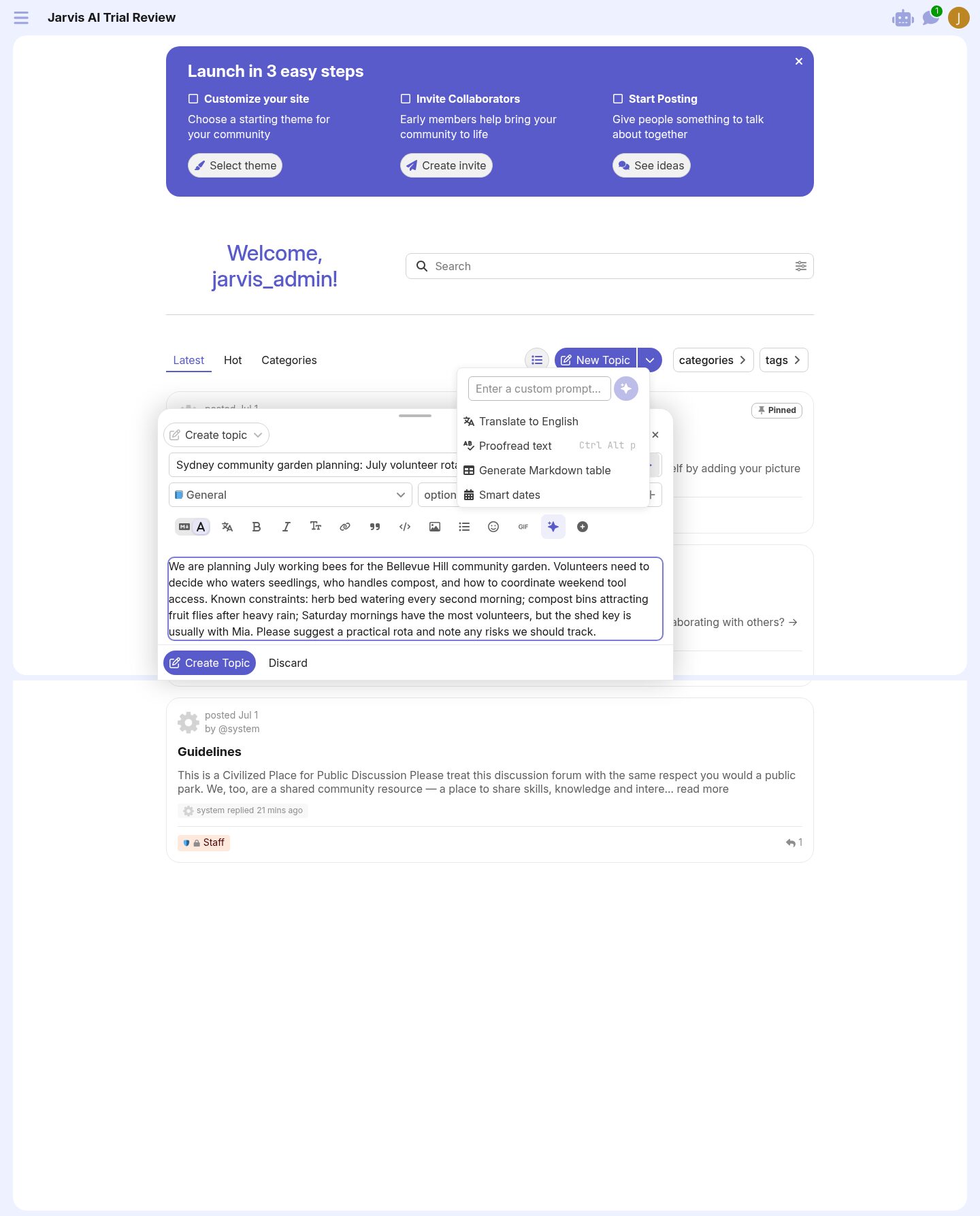
Observed path: New Topic composer → Ask AI toolbar → Proofread text. Topic page → Summarize. AI Spam page → Test.
What worked:
- Composer “Ask AI” was visible by default.
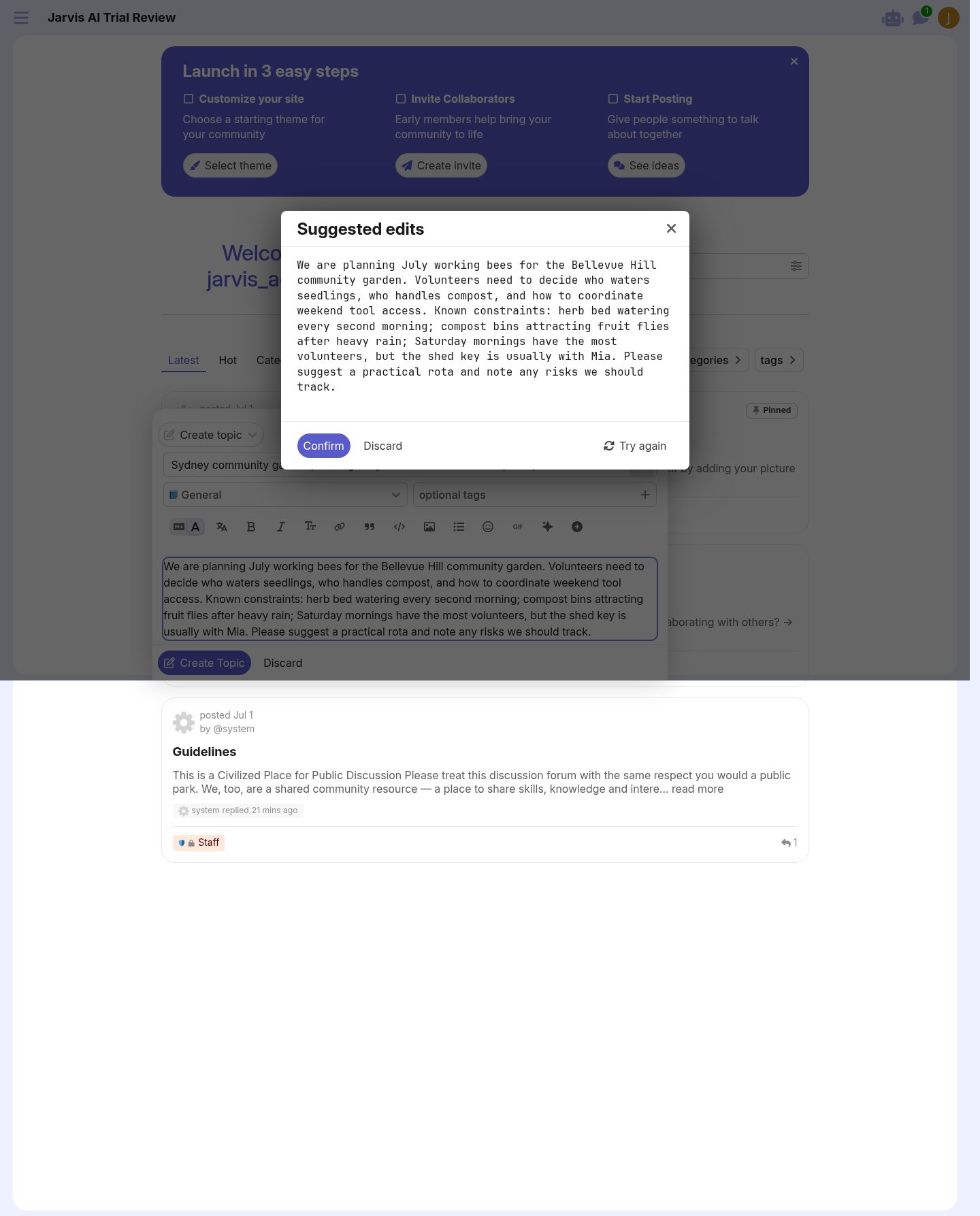
- Proofread produced a suggested-edits panel.
- Topic summary generated a useful paragraph.
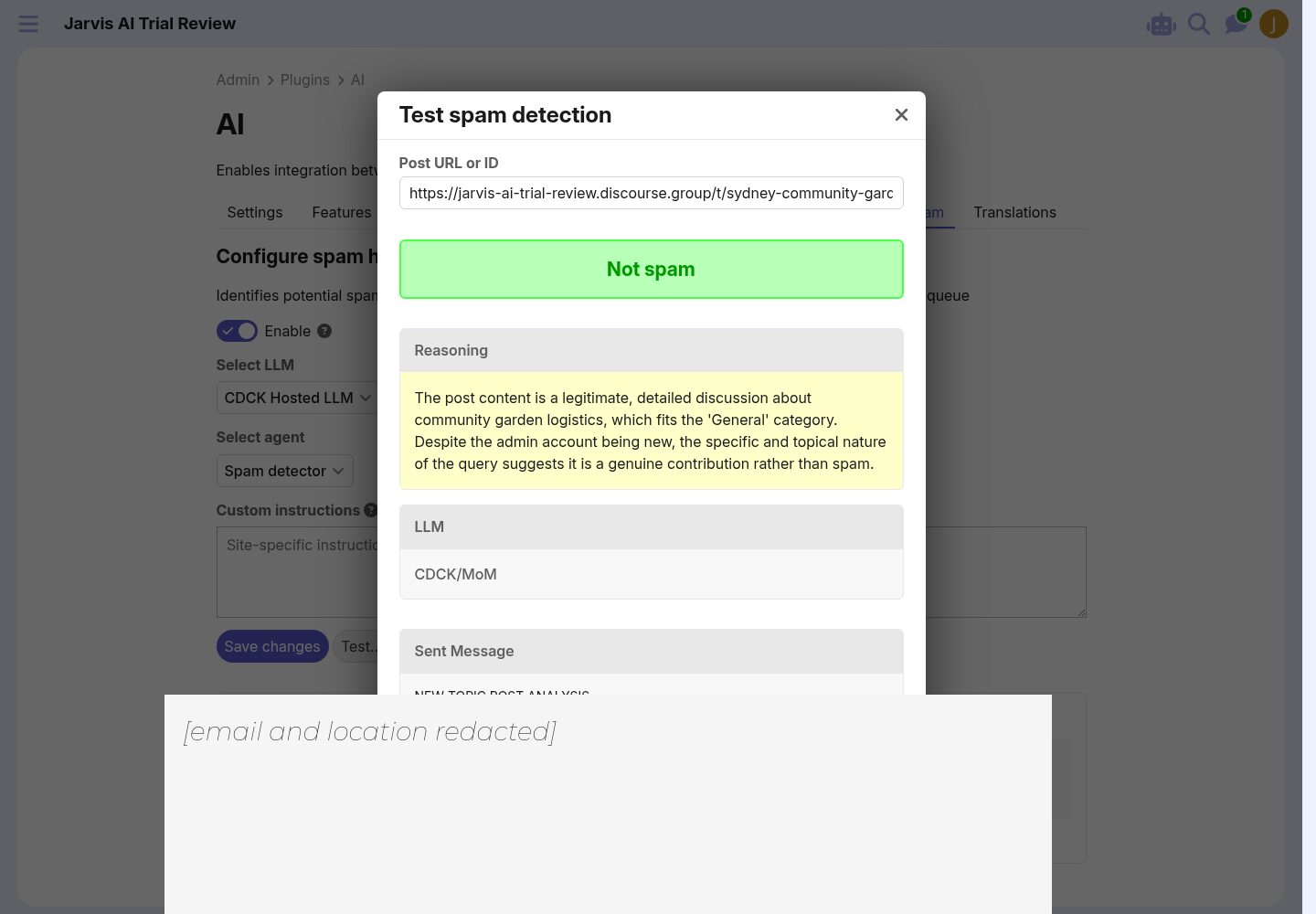
- Spam test classified the sample post as “Not spam” and showed reasoning, model, sent message, and system prompt.
What confused me: The proofread result was essentially identical for the already-clean text; it would be better if the UI said “No material changes suggested.” The spam page is powerful but exposes a lot of internal prompt detail; useful for admins, intimidating for non-technical admins.
Setup dependencies: Already satisfied on trial: ai_helper_enabled, ai_summarization_enabled, ai_spam_detection_enabled, hosted LLM, seeded agents.
Try-it moment: The spam test correctly recognized a new admin’s first post as legitimate despite account age 0 days.
Readiness rating: High.
Recommended changes: Add empty/no-op states for AI Helper suggestions; add a compact “why this was/wasn’t spam” default with expandable prompt details.
4. Translation and localization
Customer promise: Automatically translate forum content for users’ preferred languages.
Source/code preflight summary: Translation is gated by both core localization and AI settings: content_localization_enabled, content_localization_supported_locales, content_localization_allowed_groups, ai_translation_enabled, translation agents, backfill rate/age settings, and excluded categories. Admin translation routes live under /admin/plugins/discourse-ai/ai-translations; feature settings are under /admin/plugins/discourse-ai/ai-features/6/edit.
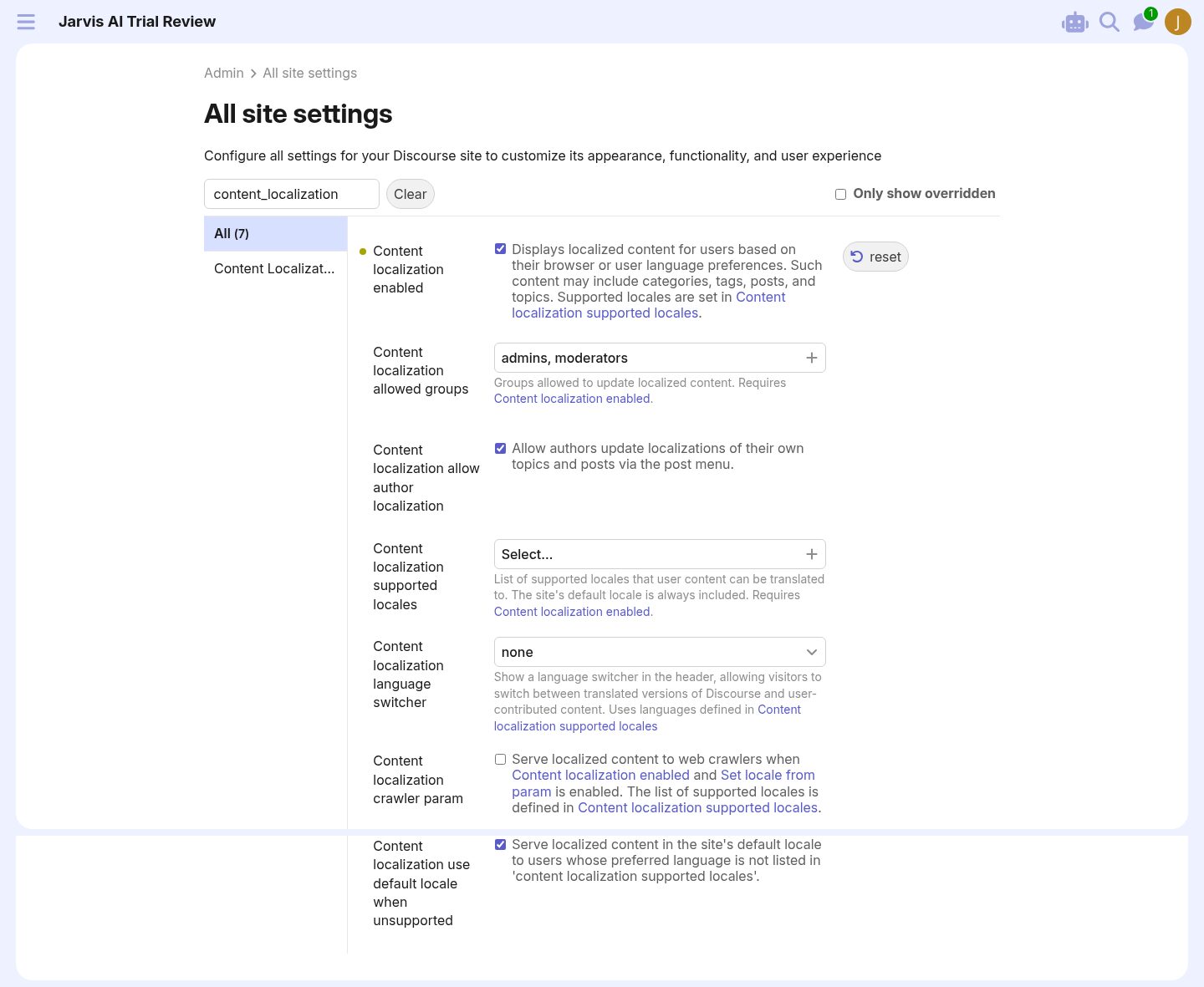
Observed path: AI → Translations page; then Localization settings; then Translation feature settings.
Settings touched:
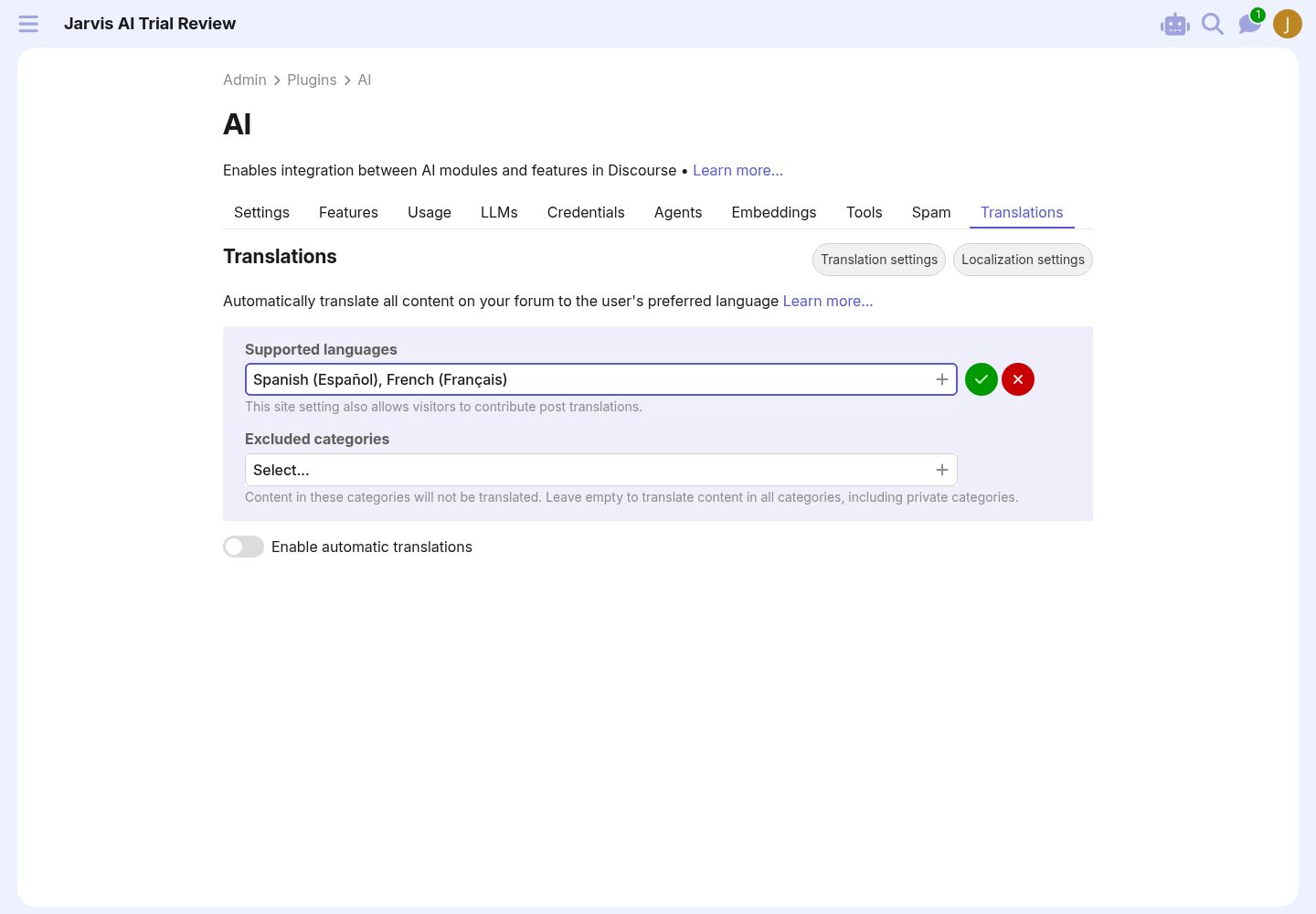
content_localization_enabled: false → true via core site settings.- Attempted to select Spanish/French in the AI Translations dashboard; the selection appeared transiently but did not persist after reload.
ai_translation_enabledremained false; I did not force it through direct API.
What worked: The Translations page points to supported languages and exposes the automatic-translation toggle. The feature settings page lists the expected translation agents.
What confused me: The “Enable automatic translations” toggle was disabled without an inline explanation of the missing prerequisite. The dashboard did not guide me reliably from “Supported languages: Select…” to a persisted locale list. The normal customer path is too easy to stall in.
Setup dependencies: Supported locales must be configured; content localization must be enabled; AI translation must be enabled; translation agents must be present; optional backfill settings must be set.
Try-it moment: Blocked at setup, so I did not classify translation output quality.
Readiness rating: Medium-Low. Not because translation is broken — source shows the gates — but because the customer-facing enablement path did not get me to a successful try-it.
Recommended changes: Put prerequisites directly next to the disabled toggle: “Add at least one supported language”, “Enable content localization”, “Save”, then “Enable automatic translations”.
5. Discovery, embeddings, search, and usage
Customer promise: AI should improve discovery through semantic search, related topics, and usage visibility.
Source/code preflight summary: Embeddings use ai_embeddings_enabled, ai_embeddings_selected_model, semantic search toggles, quick search, HyDE agent, and related topics settings. Usage is exposed through /admin/plugins/discourse-ai/ai-usage and model credits through LLM admin pages.
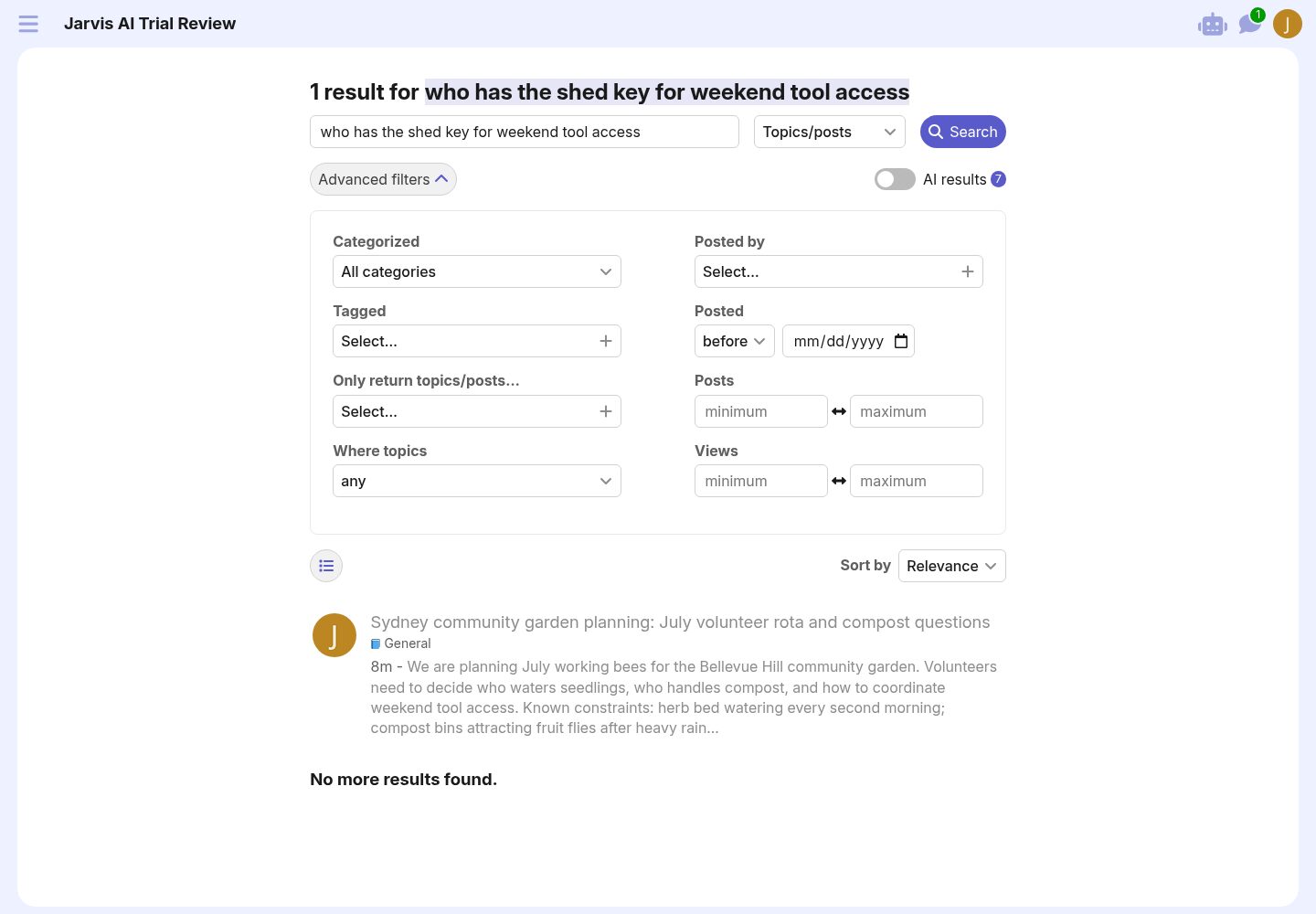
Observed path: AI Features → Embeddings; LLMs page; search for “who has the shed key for weekend tool access”.
What worked: The hosted trial already had embeddings enabled and a CDCK embedding model selected. Search found the seeded topic using realistic language. Related topics appeared on the topic page.
What confused me: “AI results” appears in search, but the distinction between lexical search, semantic search, HyDE, and AI-generated answer is not explained in the UI. Admins will not know what they are evaluating.
Setup dependencies: Embeddings enabled, selected model, semantic search settings, indexed content.
Try-it moment: Search returned the exact community-garden topic for a natural question about the shed key.
Readiness rating: Medium-High.
Recommended changes: Add an admin-visible “search mode” explanation and indexing status: model selected, embeddings queued/done, semantic search enabled, quick search enabled.
6. Web Artifacts / interactive content
Customer promise: AI can create interactive HTML artifacts safely inside Discourse.
Source/code preflight summary: Artifact support exists in source: AiArtifact, admin artifact routes, public artifact rendering, sandboxed iframe with CSP, ai_artifact_security default strict, key-value storage routes, and create_artifact/read/update tools. Normal creation depends on AI agents/tools, especially a Web Artifact Creator agent/tool path.
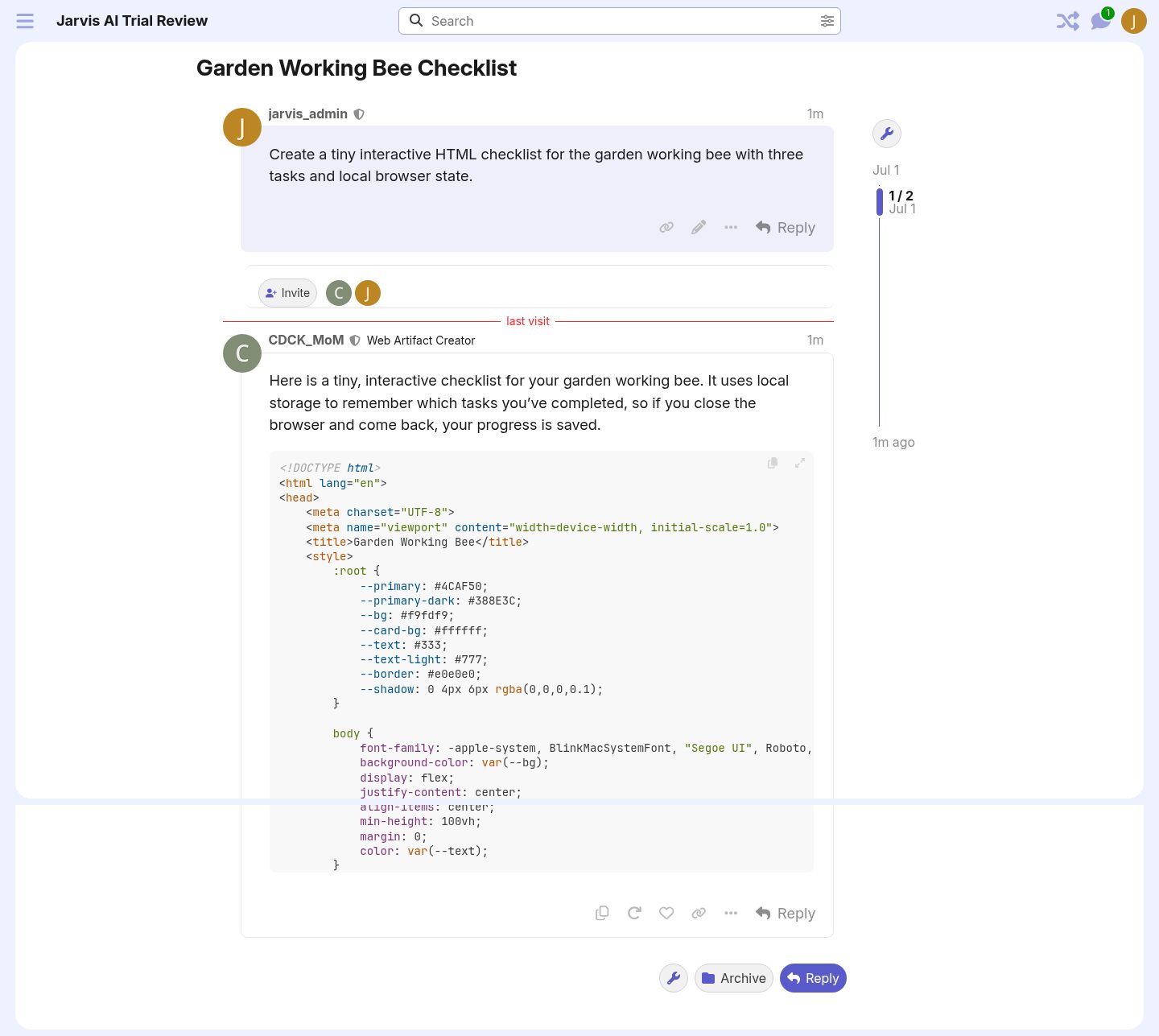
Observed path: AI Bot → agent selector → Web Artifact Creator → prompt for a tiny interactive checklist with local browser state.
What worked: The agent was selectable and produced plausible HTML/CSS/JS.
What confused me: The result was raw HTML in the conversation, not an embedded interactive artifact with the artifact UI. Source says the artifact tool path exists, so I am not calling this broken. The customer-facing problem is that the UI gives no clue whether artifact tools are enabled, unavailable, or simply not invoked by the model.
Setup dependencies: AI Bot enabled, Web Artifact Creator agent enabled/allowed, artifact tools configured, ai_artifact_security policy.
Try-it moment: Prompt produced raw code; no clickable artifact appeared in this run.
Readiness rating: Medium-Low.
Recommended changes: Add a first-class Web Artifacts feature page showing artifact security mode, tool availability, allowed agents, and a deterministic “Create sample artifact” test.
7. Data Explorer AI
Customer promise: Admins can ask for a report in plain language and get a runnable SQL query.
Source/code preflight summary: Data Explorer has its own plugin gates: data_explorer_enabled and data_explorer_ai_queries_enabled, both false by default. AI query generation registers an external Discourse AI feature and agent (Data Explorer Query Generator). The endpoint is admin-only and rate-limited; the job uses schema, SQL-run, and submit-query tools.
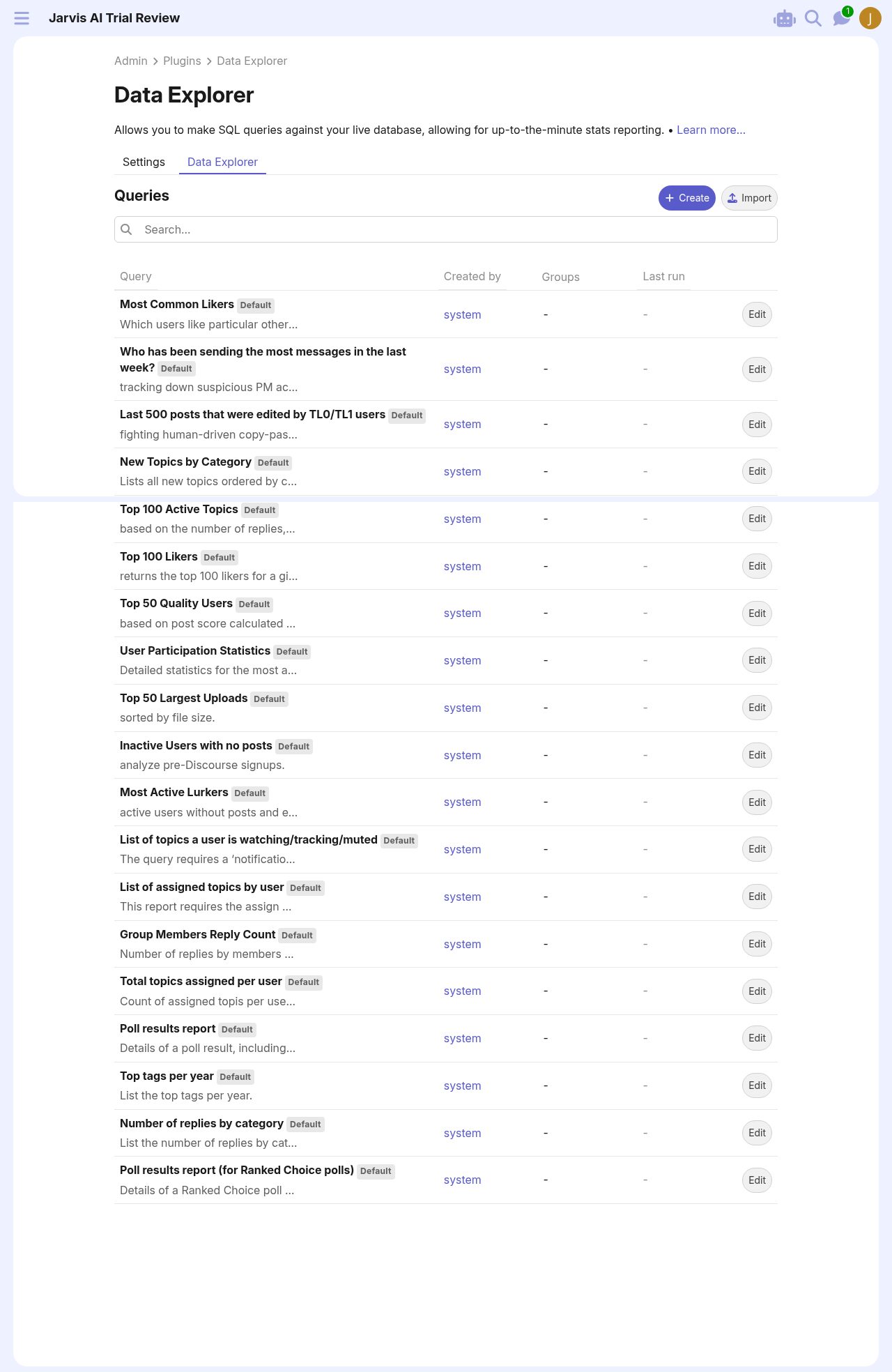
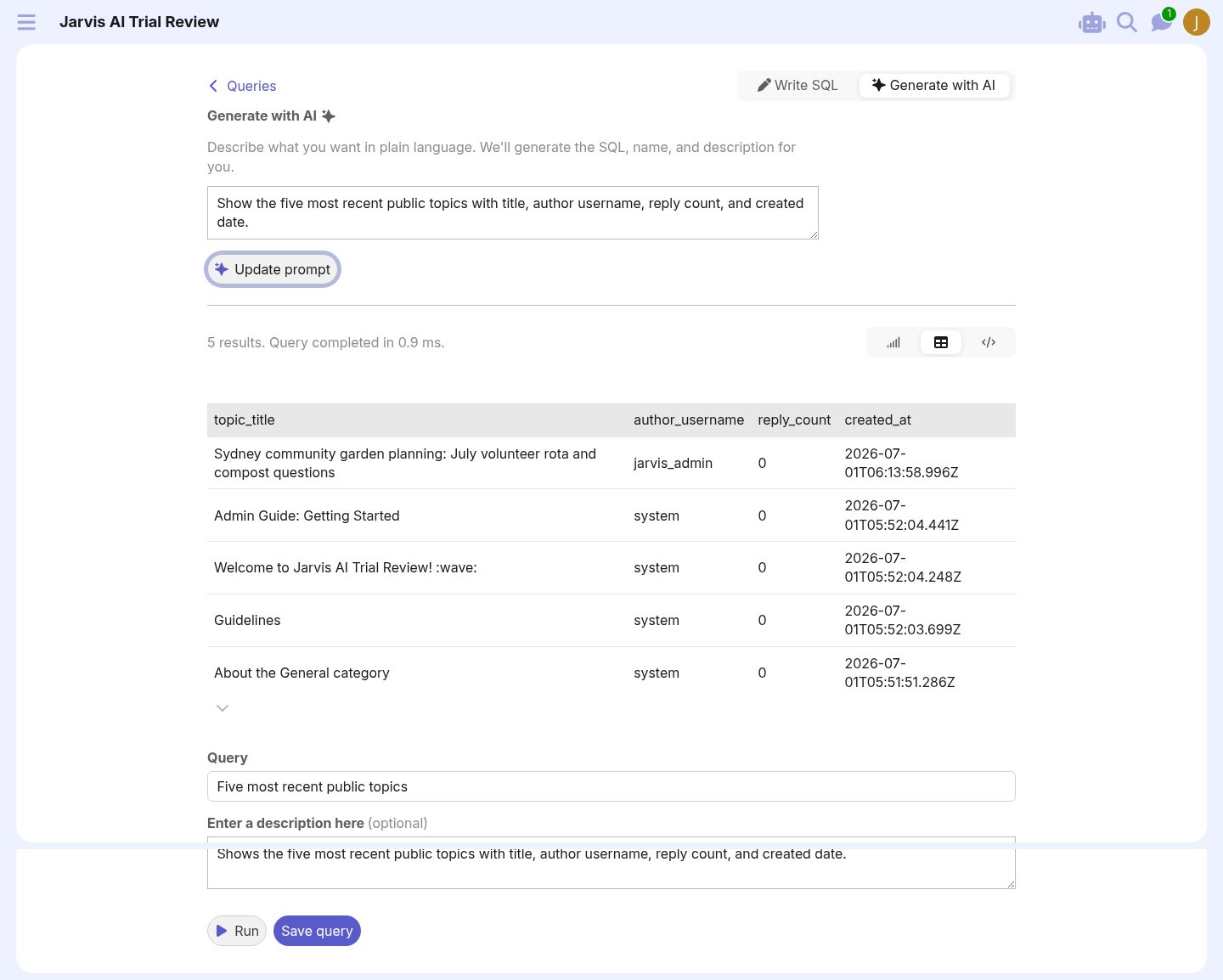
Observed path: Admin → Plugins → Data Explorer → Settings → enabled Data Explorer and AI queries → Save → Data Explorer → Create → Generate with AI.
Settings touched:
data_explorer_enabled: false → true.data_explorer_ai_queries_enabled: false → true.
What worked: Excellent try-it. I prompted: “Show the five most recent public topics with title, author username, reply count, and created date.” It generated and ran a query, returning five rows including the seeded topic.
What confused me: Until the settings were saved, /admin/plugins/discourse-data-explorer remained a settings-only surface. The UI did eventually work, but the transition from plugin settings to query authoring is easy to miss.
Setup dependencies: Data Explorer enabled, AI query generation enabled, Discourse AI enabled, default LLM/agent available.
Try-it moment: Generated query returned correct recent topics in 0.9 ms.
Readiness rating: High.
Recommended changes: After enabling, show a “Go create your first AI query” button. Also surface Data Explorer AI in the Discourse AI feature list more explicitly.
8. Overall setup model
Customer promise: A Business admin should be able to understand what AI can do, what is already on, what costs credits, and what requires setup.
Source/code preflight summary: The source model is modular and powerful: settings gates, seeded agents, LLMs, tools, feature registry, external feature registration, serializers, and admin routes. The UI mirrors that implementation model very closely.
Observed path: I had to move among Admin Dashboard, Plugins list, AI Features, AI LLMs, AI Agents, AI Spam, AI Translations, Data Explorer Settings, and core site settings.
What worked: Hosted defaults are generous. The platform is much closer to “ready to use” than “bring your own OpenAI key”.
What confused me: Customers buy outcomes, not modules. “Bot”, “AI Helper”, “Embeddings”, “Translation”, “Spam”, “Data Explorer AI”, and “Web Artifacts” each have different setup grammar.
Setup dependencies: Vary by workflow; they need a readiness checklist.
Try-it moment: The strongest path was Data Explorer AI because it had a clear prompt → generate → result loop.
Readiness rating: Medium.
Recommended changes: Build an AI Control Center with outcome cards: Write better posts, Summarize topics, Ask the bot, Moderate spam, Translate content, Search semantically, Generate reports, Create artifacts.
Screenshots
Copy review
- “Features” is accurate but implementation-shaped. Customers need outcome language: “Help members write”, “Answer questions”, “Translate content”, “Generate reports”.
- “AI bot enabled LLMs” is precise but awkward. “Models available to the AI Bot” is clearer.
- “HyDE” should not appear without explanation. Keep the acronym in advanced text, not primary setup.
- Translation needs inline dependency copy. A disabled toggle with no reason is a tiny UX crime scene.
- Spam test copy is strong because it exposes reasoning. It should default to a concise summary with expandable internals.
Information architecture review
The AI implementation is modular; the admin IA is too. A new admin sees:
- AI Settings
- AI Features
- AI Usage
- LLMs
- Credentials
- Agents
- Embeddings
- Tools
- Spam
- Translations
- Data Explorer Settings
- Core Content Localization Settings
That is internally coherent but externally expensive. The mental model should be workflow-first, with settings and agents nested under the workflow.
Setup UX recommendation
Create an AI Control Center with cards:
| Card | Shows | Primary CTA |
|---|---|---|
| Writing help | enabled, groups, helper actions, model | Try in composer |
| Summaries | enabled, groups, summarizer agent | Summarize a topic |
| AI Bot | enabled, visible entry points, allowed groups, agents | Start test conversation |
| Moderation | enabled, posts scanned, last test | Test a post |
| Translation | locales, localization, auto-translation, backfill | Finish setup |
| Search | embedding model, index status, semantic toggles | Try search |
| Reports | Data Explorer enabled, AI queries enabled | Generate report |
| Artifacts | security mode, artifact tools, allowed agents | Create sample artifact |
Each card should include a readiness checklist: model, agent, groups, quota, feature gate, and last successful run.
Prioritized recommendations
- Translation dependency wizard. This is the clearest usability gap: source gates are legitimate, but the UI does not make the path obvious enough.
- AI Bot guided enablement. Bot worked after enabling, but setup should end with a live test conversation.
- Web Artifacts status/test page. Do not make admins infer tool availability from whether an LLM emits raw HTML.
- Workflow-first AI landing page. Reduce module-hopping.
- Readiness badges. “Ready”, “Needs groups”, “Needs model”, “Needs locales”, “No successful test yet”.
- Search explainability. Show whether a result came from semantic search, keyword search, or AI-generated answer.
- No-op AI Helper state. If proofread changes nothing, say so.
- After-save routing for Data Explorer. Once enabled, offer “Create your first query”.
Final verdict
The Business trial’s AI stack is real and usable. The strongest surprise is that hosted defaults remove the usual AI-product tax: no API key hunt, no model provisioning, no blank agent list. Composer help, summaries, spam testing, bot conversations, search, and Data Explorer AI all produced meaningful results on a fresh site.
The product risk is setup comprehension. Discourse AI exposes a powerful internal architecture directly to admins. That is fine for Sam. It is less fine for a normal Business customer who wants to know, “What can I turn on today, who will see it, and how do I know it worked?”
So: Medium readiness overall, with several High-readiness workflows already inside it. The work now is not to invent the AI features. It is to package them like a customer journey instead of a settings graph.